This is the reference: every slot in the rack, what it does, and every control on its strip with its default. They are listed in the order they run in by default, which is also the order they appear in the chain row. Nothing here is a preset and nothing is hidden behind a tier: a licensed plugin and a trial plugin have exactly the same fourteen slots.
What you'll learn
- What every slot in the rack does
- Every control on every strip, with its default value
- Which slots wait for a key, for a progression, or for a second take
- Which slots write their own voice, and which rewrite the line in place
Three conventions run through the whole rack.
Every strip opens on one big knob, its macro. The macro turns several of that effect's own knobs at once, along a set path. At its starting point the effect is exactly as it ships, and double-clicking the macro puts it back there. The rail down the strip's right edge opens its drawer, which holds every control. On the rail, a filled dot marks each knob the macro turns and a ring marks each one it leaves alone; in the drawer, the same filled dot sits before the name of each knob it turns. Move one of those by hand and the macro reads custom until you turn it again. A switch that brings back something another slot silenced stands in a small row under the macro instead of in the drawer: my line for Play the line I sang too, chords for Play the chords too. A few strips also put their own most-used choices there: Chords' play (Play the chords), Motif's after (Add after, don't replace), and an another button on Chords (the next Answer) and on Reply, Bones, Arp and Chance (the next Roll). Click another for the next one; Alt-click (Option-click on a Mac) goes back one. The Roll and Answer dials stay in the drawer, so you can turn straight back to one you liked. The plugin remembers which drawers you left open. Each section below names its macro, what it turns, and what it leaves alone.
A control the effect is not reading is hidden, rather than shown doing nothing. Motif's dials each belong to one or two transforms, so switching transform changes which dials are on the strip.
Generated parts go on their own voice. The sung line is voice 0, harmony 1, chords 2, and so on, which is what lets your host route them separately and what the sung and made counts in the take bar are counting.
8.1 Motif
Turns the phrase into a sequence, a fragment, upside down or backwards, or rebuilds it as the chorus or the verse it contrasts with. Rewrites the lead voice.
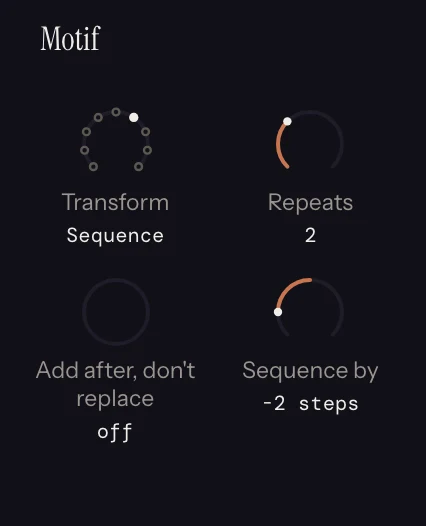
Motif runs before Chords in the default order, because Chords fits a progression to the melody it is handed and Motif changes what that melody is.
As a chorus and As a verse rebuild the phrase as the section it contrasts with, rather than moving its notes somewhere else. As a chorus keeps each line's landing, its highest note and each bar's strongest note, and holds them on the beat. It lifts the top a note or two while the bottom moves less, so the two ranges overlap. Each line comes in somewhere new, your highest line is said twice as the hook, and the chorus ends on the tonic. As a verse says your notes in two-bar lines of quarters and eighths, with the same beats split in every bar. Each line comes in where yours did and lands held on a strong beat. Long notes are said several times over, leaps get smaller, the line sits lower, and it ends open, on the 2 or the 5. Nothing in a verse is shorter than an eighth or off the half-beat grid. Both put chord tones under held notes and landings: the chords under them when Chords runs ahead, and the key's 1, 3 and 5 in the default order, where Motif runs first.
Its macro is Develop, and it starts at the bottom, with the phrase as sung. Turning it walks Transform through a sequence a step up, a sequence of two copies stepping down, a half-bar fragment climbing a step each repeat, upside down, backwards, and then the phrase rebuilt as a chorus and as a verse, setting that transform's own dials as it goes. It never switches on Add after, don't replace: switch that on yourself to hear each one after what you sang.
| Control | Default | What it does |
|---|---|---|
| Transform | None | None, Upside down, Backwards, Slower, Faster, Sequence, Fragment, As a chorus, As a verse. Backwards reverses the spacing between the notes' starts, so a phrase sung on the beat stays on the beat. A session saved on the retired Answer or Displace still plays as saved, and shows that option until you turn away from it. |
| Stay in key | on | Inversion mirrors within the key rather than chromatically. A chromatic mirror only sounds right in twelve-tone music. Shown under Upside down. |
| Add after, don't replace | off | Plays your phrase, then the reworked one starting on the next bar line after the phrase, every note keeping its place in the bar. Under As a chorus, a line that comes in early starts as a pickup over your last bar, and the note you were holding there stops where it starts. Off, the reworked phrase plays instead of what you sang. It stands under the macro as **after**. Hidden under None, and under Sequence, which already plays its copies after the phrase. |
| Repeats | 1 | How many copies follow the phrase, each starting on the bar line after the one before. Under Sequence. |
| Sequence by | +1 step | How far each repeat moves, in scale steps. This is the dial that decides whether a sequence sounds like development or like a loop. |
| Piece | One bar | How long the piece is that repeats: half a bar, one bar or two bars. On a short take the piece shrinks, down to a beat, until it can come round at least twice. Under Fragment. |
| Repeat from | start | Which piece of the phrase is repeated, from its opening to the last piece before the ending. Every repeat starts on the beat the piece started on. Under Fragment. |
| Each repeat moves | none | Scale steps each repeat moves up or down, adding up, so the piece climbs or falls into the ending. Under Fragment. |
| End as sung | on | After the repeats, the phrase's last piece plays as you sang it, so the line still ends where yours did. Off, the repeats run to the end. Under Fragment. |
| How much slower / faster | 2x | The stretch factor. Under Slower and Faster respectively. |
| Fewer notes | 50% | How many of your less important notes go, so the ones left are held. Each line's last note, its highest note and each bar's strongest note always stay. Under As a chorus. |
| More notes | 50% | How many beats of each bar are sung as two quick notes instead of one, the same beats in every bar, so every line has the same rhythm. Above 150 BPM the line stays in quarter notes. Under As a verse. |
| Lift / Drop | 2 steps | One dial, two names. Under As a chorus, Lift is the scale steps the top of the line moves up; the bottom moves less than half as far, so it overlaps what you sang. Under As a verse, Drop is how far the verse sits under your top note, with its leaps smaller than yours. |
| Comes in | Auto | Auto, Early, On the one, Late: where each line starts. For a chorus, Auto does the opposite of what you sang: after a line sung on the one it comes in early, as a pickup, and after a late one it comes in on the one. For a verse, Auto comes in where you did. Under As a chorus and As a verse. |
| Syncopate | 20% | Under As a chorus, the share of on-beat notes that arrive half a beat early. Under As a verse, the share of lines that land half a beat early, the second line of each pair first, so each pair is a line and its answer. |
| Repeat the first line | on | The chorus's second line is its first line again, with a new ending, the way a hook comes back. It opens on your line with the highest note in it, and one long line is halved to make two. Under As a chorus. |
8.2 In Key
Corrects the take against the key on the bar above, and leaves the notes you meant. Needs a key. Rewrites the lead voice. On by default.
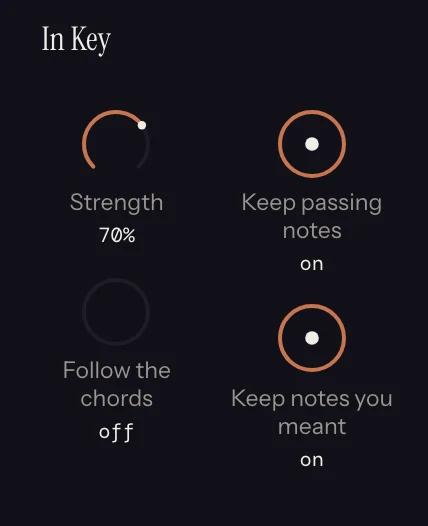
Covered in full in Chapter 7. Controls: Strength (70%), Keep passing notes (on), Keep notes you meant (on). It answers to the key alone: a note in the key is never moved, and it runs ahead of Chords so a note you missed cannot pull a chord the wrong way.
Its macro is Correct, and it turns all three: Strength rises with it from 0% to 100%, Keep notes you meant switches off from 85%, and Keep passing notes from 93%, so the top of the turn corrects every note to the key.
8.3 Chords
Writes a progression from your melody, and puts it in the rack. Needs a key. Writes its own voice.
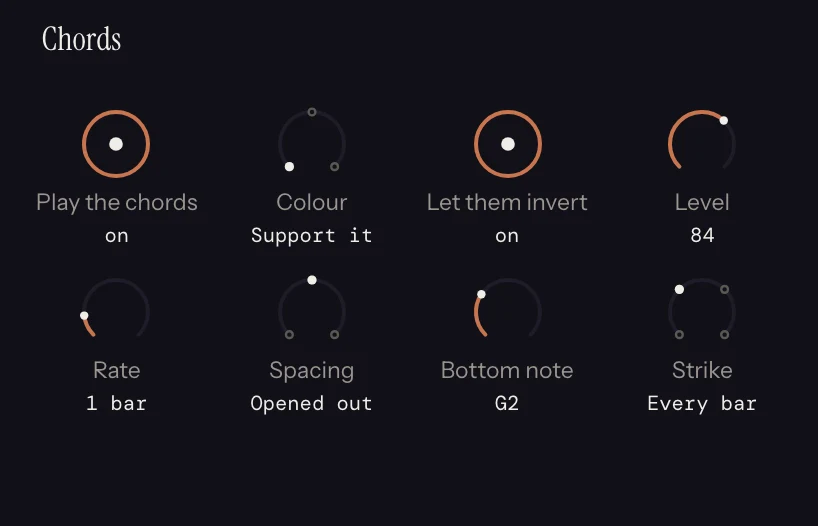
Covered in full in Chapter 6. Controls: Play the chords (on), Rate (1 bar), Answer (best fit), Colour (Support it), Spacing (Close together), Let them invert (on), Bottom note (C3), Level (33), Strike (Hold it).
Its macro is Lush. It turns Rate, Colour, Spacing, Strike and Level, from plain chords held for two bars, through opened-out, coloured chords struck every bar, to reharmonised chords spread wide and changing twice a bar. It leaves Play the chords, Answer, Let them invert, Bottom note and any chord you locked alone.
This is the slot every harmony-aware effect downstream reads. Switching it on is what gives Harmony a chord to land on, gives Echo a chord to keep its repeats in, and gives Arp something to arpeggiate. In Key runs ahead of it and does not read it, so the progression is fitted to the corrected line.
8.4 Bones
Keeps the notes that carry your tune, and writes a new line on them. Rewrites the lead voice.
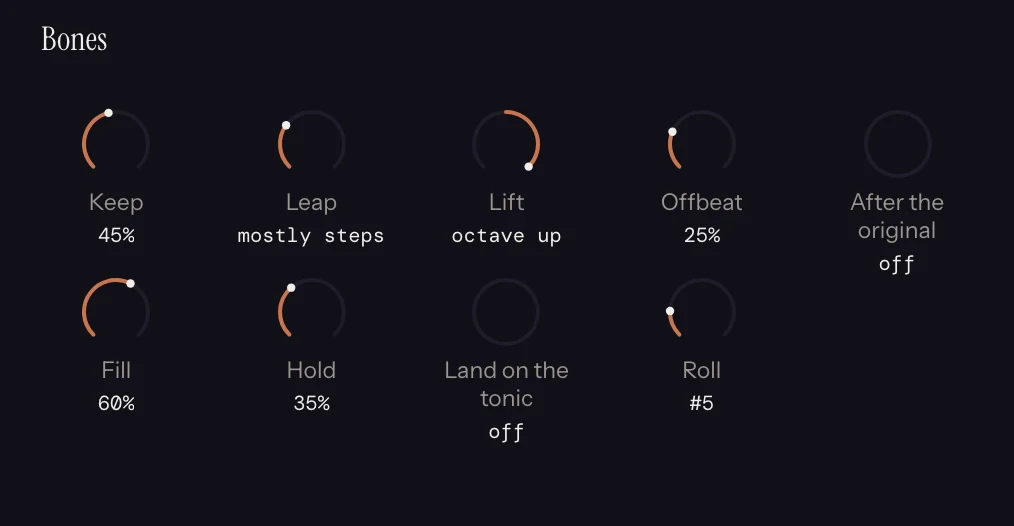
Hum a verse and get its chorus: the same skeleton, a new rhythm, new figures between the bones. It reduces the phrase to the notes that are structural, scored against the chord underneath, then grows a new line on that skeleton out of your own hook, which is the bar of the take that carries the most (longest note, strongest beat, on the chord). Its rhythm and its interval shape are the only material the fills are made of, which is why the result sounds like the same writer rather than like a random walk with good manners.
Three rules it keeps: nothing written goes above the highest note you sang, the last bone of every phrase rings out with nothing after it, and the dials never make silence.
It runs after In Key by default, so the fills grow from corrected bones and the progression Chords fitted to the take still fits the variation. The variation plays in place of the take, so moving the take on the roll moves the variation with it.
Its macro is Rewrite, which turns Keep, Fill, Leap, Hold, Offbeat and Variety together: from the line you sang to a new tune on its bones, with fewer notes kept, more room filled, wider leaps, more offbeats and fewer repeats as it turns. It leaves Land on the tonic and Roll alone.
| Control | Default | What it does |
|---|---|---|
| Keep | 40% | How much of the original survives as bones. |
| Fill | 60% | How much new material goes between them. |
| Leap | as sung | Squeeze the hook's intervals into steps, or stretch them into leaps. |
| Variety | 50% | How many fills that would repeat the note before them, or circle back to the one before that, move to a new note instead. |
| Hold | 40% | How long the bones ring. |
| Land on the tonic | off | Cadence the phrase home. |
| Offbeat | 30% | How much of the fill lands off the beat. |
| Roll | #1 | A different bar of the take as the hook. Roll again for another variation; the old one comes back when you roll back. The another button under the macro deals the next one. |
8.5 Reply
Sing the first half of a tune and hear a second half made out of it. Adds to the lead voice, after the take.
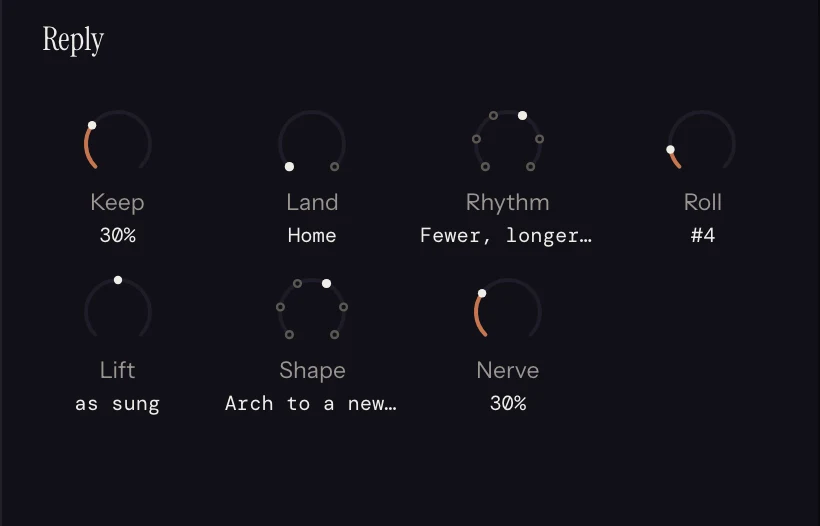
The call is the take up to its end handle, plus anything Motif added after it. The reply starts on the first bar line after both, lasts as long as the call did, and is added after it: nothing you sang is replaced. To answer only the first part of what you sang, drag the end handle in, and the reply moves with it. A note held over the reply's bar line stops where the reply starts. The exception is a push, a downbeat sung just early and held: that note rings on, and the reply rests until it ends. A note sung just ahead of a bar line never puts a stray note over the answer. It is built to be rolled: with Shape and Rhythm left on Roll picks, every roll is a different answer, and the slot's strip names the shape and rhythm it chose, so a roll you like can be pinned by setting those two selectors to what it printed.
Both are made from what you sang. Shape is the contour the reply is pulled towards: follow the call, mirror it, arch up to a new peak a third above your highest note and back down, fall from the top, or climb into the end. Rhythm is built from the call's own note lengths: as sung, its first half said twice, fewer longer notes, more shorter notes, or a new cell dealt from your lengths. A short note moves by step or repeats and only a long note may leap, which is what keeps a busier reply melodic rather than jumbled.
With Chords on ahead of it, the reply gets chords of its own: Chords listens to the reply's bars as it listened to your take, with the same settings, and the call keeps the chords it had. The last bar closes on the key's own chord for Home and on the V chord for Open. The pad plays on under the reply if Chords is sounding, and everything after this slot has a chord to read there. Pick a chord on one of the reply's bars and that bar keeps yours.
Its macro is Dare: from an answer that echoes your phrase to one that strays. It turns Keep down, Nerve and Variety up, moves Shape and Rhythm from Follow the call and As sung to Roll picks early in the turn, and near the top switches Land to Open. It leaves Lift and Roll alone, so Roll still deals another reply at any setting.
| Control | Default | What it does |
|---|---|---|
| Keep | 25% | How far the reply's shape is pulled towards your own contour. At 100%, on your own rhythm, following the call, the reply is the call again with only its ending changed. |
| Lift | as sung | Move the whole reply up or down, in scale steps, up to an octave either way. Four steps up answers from the fifth. |
| Land | Home | Home closes on the tonic over the key's own chord (or on the root of a chord you picked for that bar) and rings to the bar line. Open stays on the fifth, second or seventh over the V chord and leaves the last note short. |
| Shape | Roll picks | Follow the call, mirror it, arch to a new peak, fall from the top, or climb into the end. |
| Rhythm | Roll picks | As sung, first half twice, fewer longer notes, more shorter notes, or new from your lengths. |
| Nerve | 25% | How far the filled-in pitches may go from the expected note: wider steps, a looser key, and the second- or third-best pitch rather than the first. |
| Variety | 50% | How many of the filled-in notes must move off the note before them. At 0 the fill repeats as it likes; at 100% it never repeats a note. |
| Roll | #1 | Another reply. On Roll picks, another shape and rhythm too. The old one comes back when you roll back. The another button under the macro deals the next one. |
8.6 Harmony
A second line that stays right through the changes. Needs a key. Writes its own voice.
Instead of stacking a fixed interval that goes sour the moment the chord turns minor, it picks the note that is a third or a sixth away in the key, and, with Land on chord tones on, moves it onto the chord underneath.
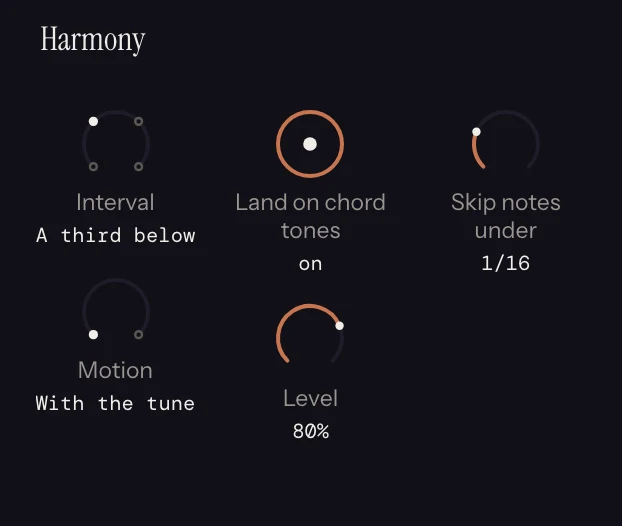
Its macro is Weave: from a quiet third below under the long notes only, to a third under every note, to a third above, to a sixth below moving against the tune. It turns Interval, Motion, Skip notes under and Level, and leaves Land on chord tones and my line alone.
| Control | Default | What it does |
|---|---|---|
| Interval | A third below | A sixth below, a third below, a third above, a sixth above. |
| Motion | With the tune | Parallel, or contrary (against it). |
| Land on chord tones | on | Snap each harmony note to the chord underneath. Needs Chords. |
| Skip notes under | 1/16 | Do not harmonise anything shorter than this, so passing notes stay single. |
| Level | 80% | How loud the harmony sits under the lead. |
| Play the line I sang too | on | The take's own sung switch, reachable from here because "hear just the harmony" is what you want the moment a second line appears. It shows as my line in the row under the macro. |
8.7 Arp
Runs the chords the rack wrote as a figure. Needs Chords. Writes its own voice.
An arpeggiator arpeggiates a held chord, and the chord track is the held chord, so this slot does nothing at all until Chords is ahead of it. Switching Arp on switches Chords on and silences its bed, and it silences the sung line too, because an arp plays the idea itself rather than under it. Both come back from the small row under Arp's Energy knob: chords and my line.
The figure restarts on each chord change.
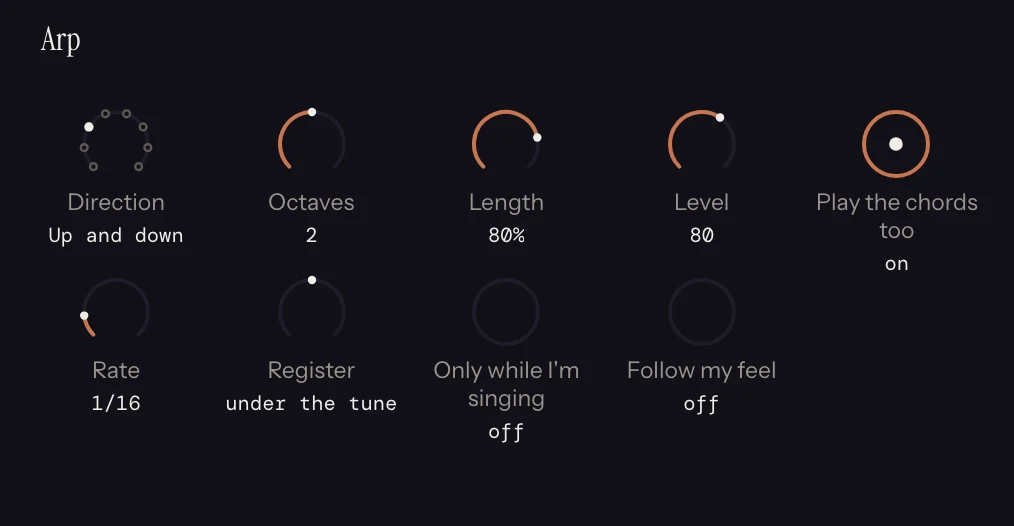
Its macro is Energy: from a slow figure that plays only while you sing, to a faster run across more octaves, shorter and harder, ending in a random scatter. It turns Direction, Rate, Octaves, Length, Level and Only while I'm singing, and leaves Register, Follow my feel, Roll, chords and my line alone.
| Control | Default | What it does |
|---|---|---|
| Direction | Up | Up, Down, Up and down, Down and up, Outside in, Inside out, Random, Strum. |
| Rate | 1/16 | Step length. Hidden under Strum, which is one rake per sung note. |
| Octaves | 1 | How many octaves the figure spans. |
| Register | under the tune | Move the whole figure up or down in octaves. |
| Length | 80% | Gate: how much of each step sounds. |
| Level | 80 | Velocity. A generated figure has no dynamics of its own to read. |
| Roll | #1 | A different random figure, and the old one back when you roll back. Under Random, where the another button under the macro also appears and deals the next one. |
| Only while I'm singing | off | The voice gates the arp: it runs while you sing and rests when you rest. |
| Follow my feel | off | The voice times it, so the figure plays your phrasing rather than the clock's. The strip head says what it found. |
| Play the chords too | off | Chords' own bed switch, reached from here because this is where you notice it. It shows as chords in the row under the macro. |
| Play the line I sang too | off | The take's sung switch. This is the way back to the line the slot silenced. It shows as my line in the row under the macro. |
8.8 Euclid
Turns a note into a rhythm. Rewrites the lead voice by default.
Hum one long note and get an evenly-spread pulse, already in the key and in the chord. Euclidean rhythms distribute a number of pulses as evenly as possible across a number of steps, which is where a great many folk and dance patterns come from.
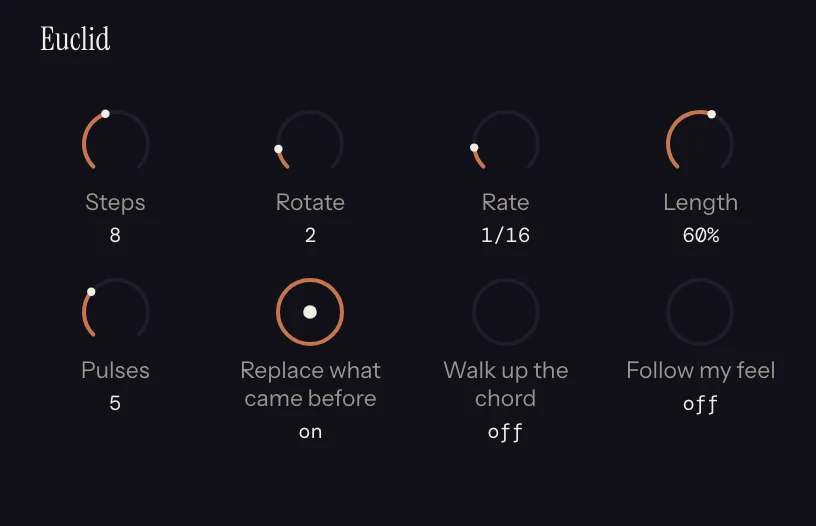
Its macro is Density: from one pulse a cycle to a busy roll. It adds pulses, then doubles the steps at half the length so the cycle stays as long, shortens the hits, and from halfway switches on Walk up the chord. It turns Pulses, Steps, Rate, Length and Walk up the chord, and leaves Rotate, Replace what came before, Follow my feel and chords alone.
| Control | Default | What it does |
|---|---|---|
| Steps | 8 | Length of the pattern. |
| Pulses | 3 | How many of those steps sound. |
| Rotate | 0 | Turn the pattern, so it starts somewhere else. |
| Rate | 1/16 | Step length. |
| Length | 90% | Gate. |
| Replace what came before | on | On, the pulse replaces everything upstream. Off, it plays beside it. |
| Walk up the chord | off | Each pulse steps through the chord rather than repeating one pitch. |
| Follow my feel | off | Time the pulse to your phrasing. |
| Play the chords too | off | Chords' bed switch. Offered only while Replace what came before is off, so the pulse plays beside what came before. It shows as chords in the row under the macro. |
Replace what came before defaults to on, and Euclid runs over every note in the rack, so switching this slot on with the default settings replaces the sung line, the chords and the harmony with a bare pulse. That is the intended behaviour of the effect, and the switch is in Euclid's drawer to say otherwise.
8.9 Echo
Note delay that keeps its repeats in the harmony. Writes its own voice.
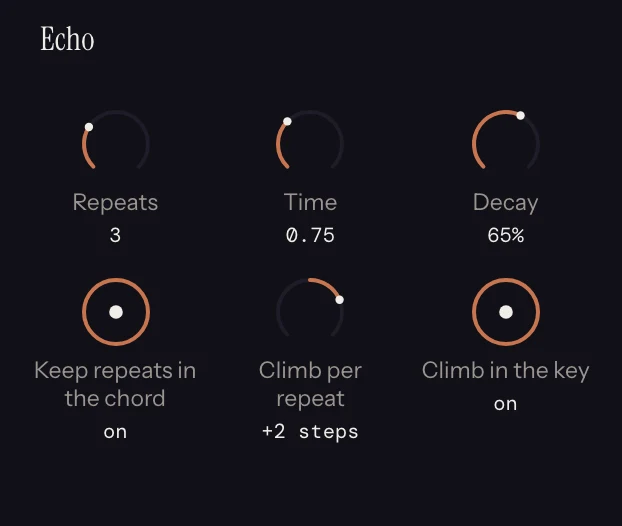
Repeats climb by scale steps rather than semitones, and each repeat snaps to the chord it lands on rather than to the chord the original was in.
Its macro is Space: from one quick slap to a long tail at a dotted eighth, each repeat fading less, and near the top the repeats climb through the key. It turns Repeats, Time, Decay and Climb per repeat, and leaves Keep repeats in the chord, Climb in the key and my line alone.
| Control | Default | What it does |
|---|---|---|
| Repeats | 3 | How many echoes, up to 8. |
| Time | 1/8 | Delay between repeats. |
| Decay | 70% | How fast the repeats fall away in level. |
| Keep repeats in the chord | on | Snap each repeat to the nearest note of the chord it lands on, or of the key where no chord is playing. It is not inert without Chords: with a climb set, it is what keeps the echoes in the key. |
| Climb per repeat | none | Move each repeat up or down. Reads as scale steps or semitones depending on the switch below. |
| Climb in the key | on | Whether the climb is diatonic. Only a question once there is a climb. |
| Play the line I sang too | on | The take's sung switch, so the repeats can be auditioned alone. It shows as my line in the row under the macro. |
8.10 Register
Folds a part into a range. Rewrites in place.
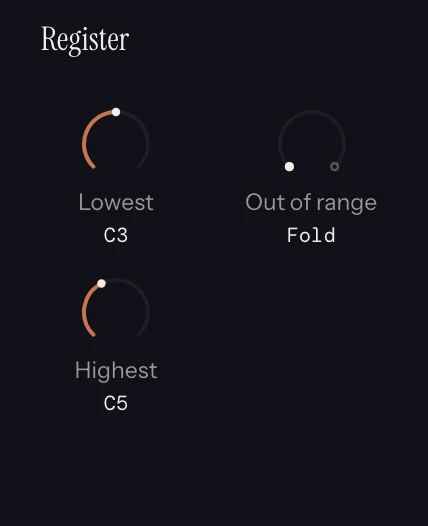
A sung take lands wherever your voice lives, which is not always where the part belongs.
Its macro is Range, which slides the part's range, Lowest and Highest together, from bass up through the middle to the top of the keyboard. At the bass end it sets Out of range to Flatten, as a bass part wants, and a little way up it switches to Fold. It turns all three controls.
| Control | Default | What it does |
|---|---|---|
| Lowest | C3 | Bottom of the range. |
| Highest | C6 | Top of the range. |
| Out of range | Fold | Fold moves an offending note by whole octaves and keeps the shape of the line. Flatten clamps it against the ceiling, which is what a bass part wants and a melody never does. |
There is no octave slider here. To move a part an octave, select its notes and press Shift with the up or down arrow: see Chapter 10.
8.11 Chance
Rolls a die per note, or per phrase. Rewrites in place.
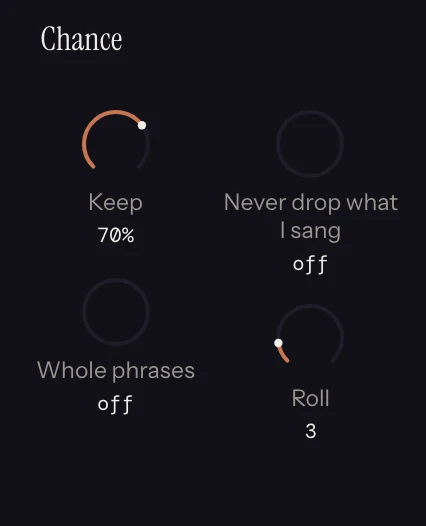
Seeded, so a take renders identically twice and the roll number brings a figure back.
Its macro is Thin: fewer notes kept as it turns, and past halfway whole stretches drop out together rather than single notes. It turns Keep, Whole phrases and Phrase length, and leaves Never drop what I sang and Roll alone.
| Control | Default | What it does |
|---|---|---|
| Keep | 85% | The chance any given note survives. |
| Whole phrases | off | Roll once per phrase so a whole figure either happens or does not. |
| Phrase length | 1 beat | How long a phrase is, for that purpose. |
| Never drop what I sang | off | Only thin out the generated parts. |
| Roll | #1 | A different set of dice, reproducibly. The another button under the macro deals the next one. |
8.12 Feel
Swing, humanize and quantize, as dials. Rewrites in place.
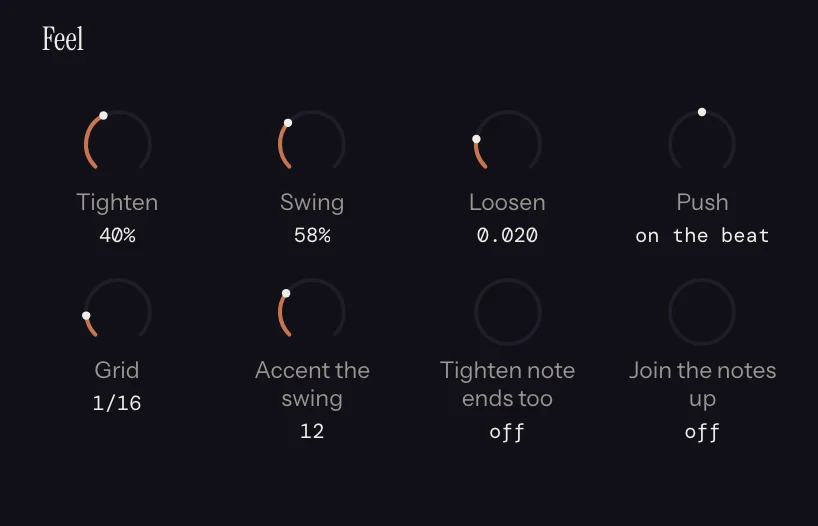
A sung take is mostly phrasing, so the question is never "quantize or not", it is how much grid you want. Most takes want about 40%. Feel runs late in the chain so that generated parts do not inherit a grid you never played.
Its macro is Groove, and it starts at the bottom, with your timing as sung. The first part of the turn pulls your timing onto the grid until it is tight, then the rest swings it, up to triplet swing with the off-beats accented. It turns Tighten, Swing and Accent the swing, and leaves Grid, Loosen, Push, Tighten note ends too and Join the notes up alone.
| Control | Default | What it does |
|---|---|---|
| Tighten | 0% | Quantize amount. 100% is machine-tight. |
| Grid | 1/16 | What it tightens toward. |
| Swing | 50% | 50% is straight; higher delays the off-beats. |
| Loosen | 0.000 | Humanize: random timing spread, seeded. |
| Accent the swing | 0 | Extra velocity on the swung off-beats. Only offered above 50% swing, since there are none at 50. |
| Tighten note ends too | off | Quantize note-offs as well as note-ons. Only offered above 0% tighten. |
| Push | on the beat | Move everything slightly ahead of or behind the beat. |
| Join the notes up | off | Legato: extend each note to the next. |
8.13 Expression
How much of your actual singing reaches the synth. Rewrites in place.
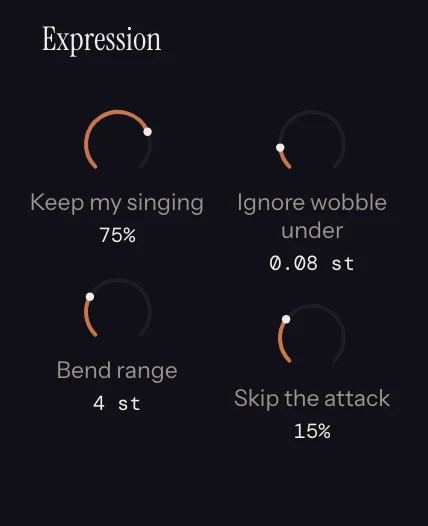
Expression is last in the chain because it reads the sung pitch curve after every transform has finished moving it. At 0% the notes are flat. Turn it up and the scoop into the note and the fall off the end are written out as per-note pitch bend.
Its macro is Voice, and it starts at the bottom, with no bend written. Turning it raises Keep my singing, and toward the top it lowers Ignore wobble under and Skip the attack so the smaller wobbles and the start of each note come through too. It leaves Bend range alone, because that has to match your synth.
| Control | Default | What it does |
|---|---|---|
| Keep my singing | 0% | How much of the curve is written. |
| Bend range | 2 st | Match this to your synth's pitch bend range. The MPE export uses 48. |
| Ignore wobble under | 0.05 st | Below this, the curve is treated as steady. |
| Skip the attack | 10% | Ignore the first part of each note, where a pitch tracker is least sure. |
Notes that were never sung, including everything Euclid and Arp generate, have no curve to read and stay flat. That is deliberate: a sixteenth should not inherit a whole note's bend.
8.14 Morph
Walks one dial from this take to another one. Needs a second take. Rewrites the lead voice.
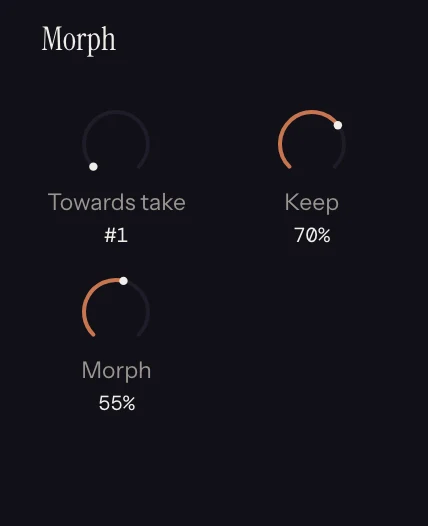
Sing a verse, flip to a new take, sing the chorus, and Morph walks between them. Halfway is a real line between the two, not both at once.
It walks toward the other take as you would hear it, rendered through its own rack, so take 2 with an Arp on it is the arpeggio, and one dial walks from your line into that. Both sides enter the walk as one pool, sung and made together, so a monophonic sung melody walking into a monophonic arpeggio is one note at a time the whole way. Where one side stacks, a sung note walks into the chord tone nearest it: a sung C on a downbeat is C at the foot of the dial, C D at a quarter, C E G at the top.
It sits last in the default order, so this take's own parts exist by the time it runs.
Its macro is Blend, which walks the line from this take to the other one. It turns Morph from 0% to 100% and lowers Keep through the middle of the turn, so more notes swap over rather than glide and halfway sounds like a third tune. It leaves Towards take alone.
| Control | Default | What it does |
|---|---|---|
| Towards take | #1 | Which of the kept takes to walk toward, numbered as the take bar numbers them. |
| Morph | 50% | The dial. 0% is this take, 100% is the other one. |
| Keep | 40% | How much of each take counts as its bones, the structural notes that walk. The rest is decoration, traded between the two takes as the dial turns. The same dial as Bones' Keep. |
To keep an in-between position and work on it further, flatten the take. See Chapter 5.
Chapter 9 covers what changes when you move these around.