Write the Melody, Not Just the Chords
Most songwriting tools stop at the chord grid and leave the tune in your head. Every syllable in Song Cage carries its own pitch, and there are six ways to put one there, including singing it.
Whichever Instrument You Actually Think In
A pianist wants keys. A guitarist wants fret numbers. A singer wants to sing. Nobody should have to translate their idea into someone else's instrument before they can write it down, so all six routes produce the same thing: a pitch sitting on a syllable, which then behaves identically however it got there.
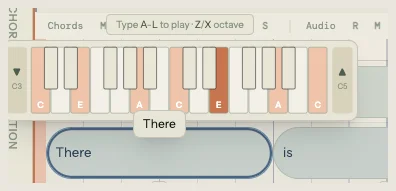
- Click a lyric block and pick the note off the inline piano
- Musical Typing: play the home row like a keyboard
- Guitar tab under the piano roll, so you can type fret numbers instead of note names
- Plug in a MIDI keyboard and play the note into the syllable under the cursor
- Hold M, sing the note, let go, and the pitch you sang lands
- Follow Chord mode remaps your keys to the chord tones underneath
Sing a Phrase and Get the Notes Back
Record a take, click Detect melody, and the pitches come back as note chips on a lane lined up with the chords and lyrics underneath, so you can read every note against the beat it landed on. Play the recording and the detected notes back to back to hear whether it caught what you meant, then drag the result onto a lyric line.
- Detection runs on your own device, and your voice never leaves it
- A Hum / Melody switch on the play button, to compare the take with the reading
- Snap to a key, from a shortlist of the ones that actually sound different on this melody
- Or open the full grid of all twenty-four and name the key yourself
- Each option says how many notes it will move, not how confident a ranker is
- Hover to hear it before you take it, and snapping is reversible either way
- In the desktop app the full model ships inside, so it works with no connection
One Syllable Can Carry Three Pitches
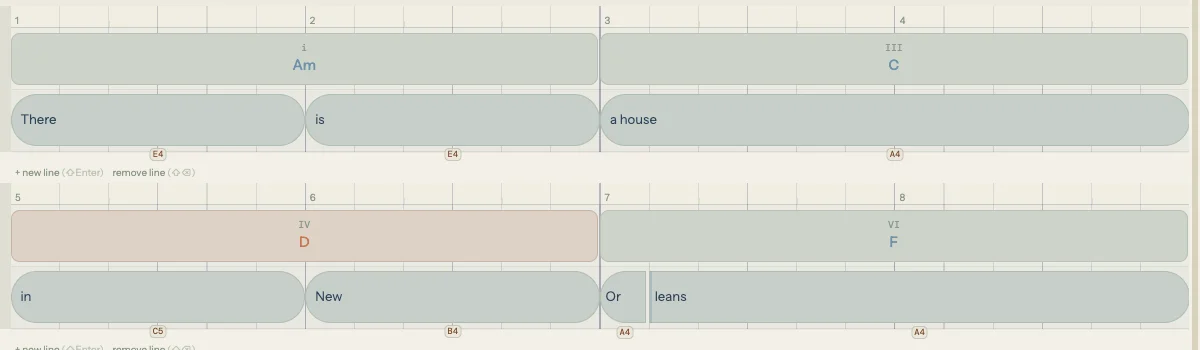
A held vowel at the end of a line, a turn on the way into the next word: one word, several notes. Press N with a syllable selected and it makes room, and the next thing you play fills the new slot. Press it again for a third.
The word is never re-spelled to fake it. The extra slot carries a pitch and no letters, so “running” stays “run-ning” instead of turning into “run / ni / ng”, and the letters stretch across the whole run so it still reads as one word.
- The extra note takes its time from the syllable, so nothing after it moves
- Drag the dashed seam to change where one note ends and the next begins
- Hover the seam and click the × to take a note back off
- Fill the new slot from the piano, the home row, a MIDI key, or your voice

The Melody Changes What the Chords Suggest
This is the part most tools leave out. Place, nudge, or delete a note and the chord palette re-ranks itself for every beat the change touches: add an A to a beat and chords containing A rise, take it away and they settle back. Go the other way and Auto Chords reads the phrase you sang and lays a progression under it.
Rhythm counts, not only pitch. A long note on a downbeat carries more weight than a short one between beats, and a note approached and left by step on a weak beat is read as a passing tone the harmony is not expected to contain. Move the same note onto the downbeat and the ranking shifts even though the pitch never changed.
- Melody-aware chord rankings, recalculated as you write
- Auto Chords harmonizes the melody already on your grid
- Support, Color, or Reharm: choose what the melody note becomes in the chord
- Neither layer has to be finished before you start the other
Get New Lines Out of the One You Sang
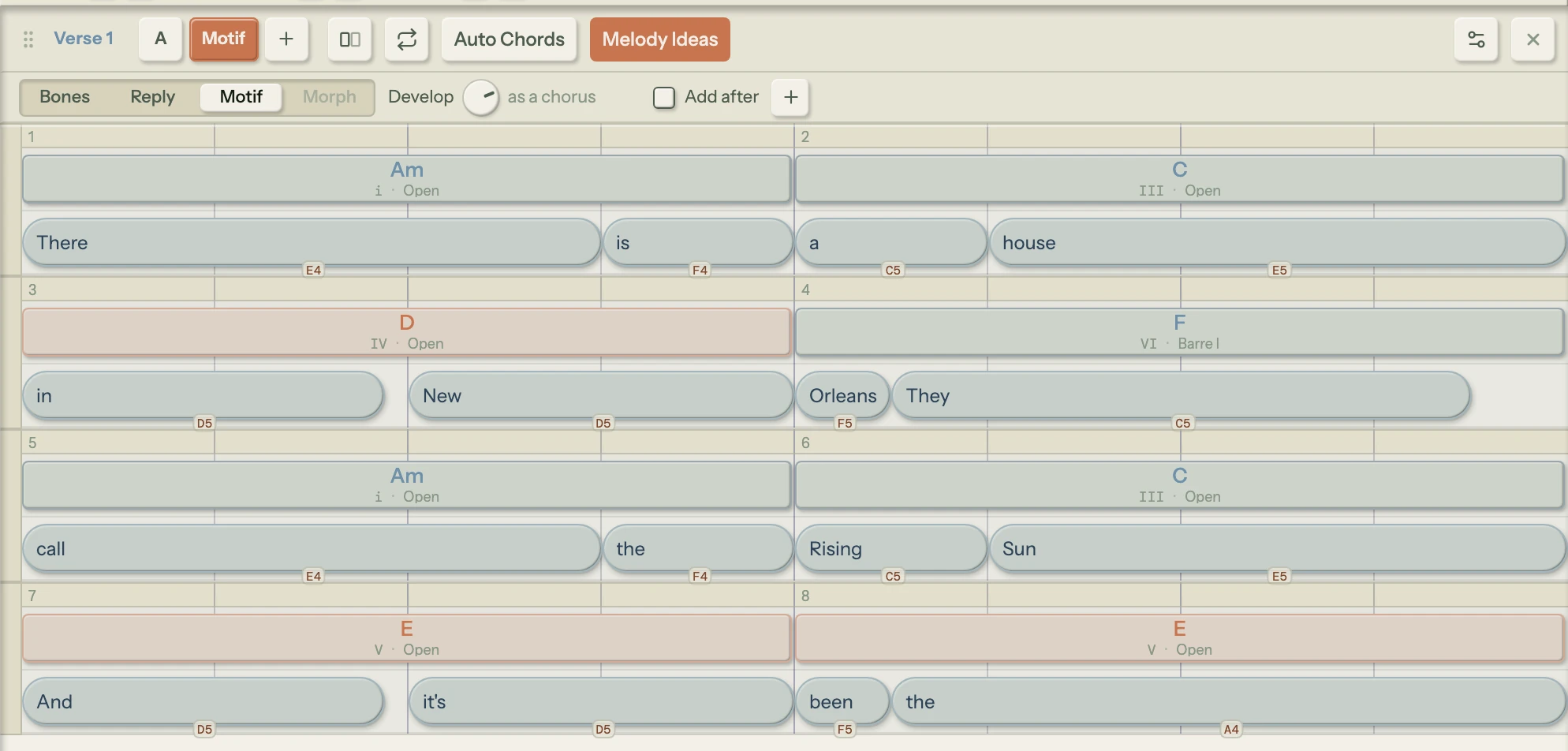
Once a section has a melody, Melody Ideas makes new lines out of it. Pick one of four moves and turn its one knob, and the new line lands as a version of the section, in its own tab beside yours. Your words go back on the new notes, the chords stay where they are, and your own line is never written over.
Nothing here starts from a blank setting. Every idea is built from your own notes: the ones that carry the tune, the bar that works as a hook, the phrase you already have. Leave Auto Chords open beside it and the chord preview re-fits to each new line, so you hear what fits under it before you accept anything.
- Bones keeps the notes that carry your tune and grows a new line on them from your own hook
- Reply answers your phrase with a new one made out of it
- Motif moves it up or down, turns it upside down or backwards, or rebuilds it as the chorus or the verse it would sit beside
- Morph walks your melody towards another version of the section
- Roll Bones or Reply again at the same setting, and press + to keep an idea and make the next
- Comes with the Song Cage licence and the 14-day trial, in the web app, the desktop app and the plugin
Seven Voices, and None of Them Pretend to Be a Record
The default voice, Singer, sings the melody on your own words, one syllable to a note, so you hear how the line sits on the lyric. The rest are sampled instruments: four Mellotron tape voices and two guitars. They are all there so you can hear the shape of the line against the chords, check an interval, and catch a note that looked right and sounds wrong. What comes out of the speakers is a sketch you are reading, not a demo you are making.
- Singer, a synthesized voice that sings your lyrics
- Female and Male chamber vocal tapes
- The tape flute from the records you are thinking of
- Violins, a string ensemble tape
- Acoustic and electric guitar samples
- Off, when you want the notes stored and silent
Common Questions
Can I hum a melody and get notes out of it?
Yes. Record a take inside your song, click Detect melody, and Song Cage reads the pitches out of it and shows them as note chips on a lane lined up with your chords and lyrics. You can play the recording and the detected notes back to back, snap the result to a key, edit any note, and then drag the phrase onto a lyric line. The whole thing runs on your own device, so your voice is never uploaded.
Do I need to be able to sing in tune for it to work?
You need to be clear, not accurate. Sing a vowel rather than a word, hold each note a beat longer than feels necessary, and get reasonably close to the mic, especially low in your range. Any pitch you land near can be snapped to a key afterwards, and snapping is reversible, so nothing is lost by trying. A hum that comes back empty is nearly always one that was quiet, breathy, or very short.
Does melody detection work offline?
In the desktop app, yes: the full model ships inside it, so detection runs at full accuracy with no connection. In a browser the model is fetched once (about 51 MB) and stored, so every detection after the first one runs offline too. If it cannot be reached at all, detection still runs on a simpler built-in model and the result is labelled Basic detection, so a thinner set of notes is never a mystery.
Can one syllable hold more than one note?
Yes. Press N with a syllable selected and it splits time onto a new empty slot for the next pitch you play, and again for a third. The word is not re-spelled to accommodate it: the extra slot carries a pitch and no letters, and the syllable's letters stretch across the run so it still reads as one word. Drag the dashed seam to move where one note ends and the next begins.
Is melody detection available on the phone apps?
No, and that is deliberate. The iPhone and Android apps are for capturing: record the hum, sketch the words, save it. Detecting the notes, editing them, and building the harmony around them all want a big screen, so they live in the desktop editor and the web app. With the Song Cage licence, a voice memo captured on your phone arrives in the web app’s Ideas inbox ready to detect.
Will it write the melody for me?
Not from nothing. There is no prompt box and no generative AI in Song Cage, and nothing invents a tune for you to accept. Melody Ideas, which comes with the licence, makes new lines out of a melody you already wrote, by applying music theory to your own notes: your hook regrown, your phrase answered, turned upside down or rebuilt as a chorus. Each one lands as a version you can keep or delete, and your own line stays as it was. The detector that reads your voice is a trained model, which is a different thing from a tool that makes up music: it is transcribing you, not replacing you. More on where we draw that line →
Everything Works Together
Chord Progressions
Suggestions ranked against the melody you just wrote, plus one-click Auto Chords.
Song Capture
Record a take inside the song, and bring in the voice memos you already have.
The Melody Plugin
A separate AU/VST3 MIDI effect: sing into your DAW and run the line through fourteen harmony-aware effects.
Put the Tune on the Page Today
Free for one song in your browser. No credit card required. Open Song Cage and sing something in.
Start writing for free →Or buy the licence: Song Cage for Mac and Windows, AU/VST3 plugin included.